 Life Harbor
One calm place
for your day.
Life Harbor brings your tasks, notes, and Markdown journaling together in one fast, native app for iPhone, iPad, and Mac — synced privately through your own iCloud account. No accounts to create, no trackers, no servers of ours in between.
Free to use. Built with SwiftUI, Core Data, and CloudKit.
Tasks and notes, finally together.
Most apps make you choose between a task manager and a notes app. Life Harbor treats them as one idea — quick things to do, and longer things to write — kept in the same folders, the same search, the same flow.
Tasks that stay out of your way
Due dates, local reminders, and quick filters — without the ceremony of a full project-management app.
Real Markdown notes
A proper live-rendering Markdown editor — bold, lists, links, headings — so your notes stay plain text, not trapped in a proprietary format.
A running Daily Note
One note per day you can jump to and append to in a single keystroke — a journal that builds itself as you go.
Folders & tags
Organize however actually makes sense to you — plain folders, cross-cut with tags, and keep tasks and notes side by side.
Templates, snippets & custom fields
Turn your recurring structures — meeting notes, client intake, weekly reviews — into reusable building blocks.
Quick Capture, ⌘⇧A
On the Mac, one keystroke from anywhere opens a tiny command bar for a new task, a new note, or a line in today's Daily Note — then gets out of your way.
Gnat — glanceable focus
A small floating overlay on the Mac, and Live Activities on iPhone's Lock Screen and Dynamic Island, for the one countdown or task you don't want to lose track of.
Share into Life Harbor
Send a link from Safari straight into a new task or note via the share extension — the page's title comes along with it.
Share a folder with family
Invite the people you share a life with into a folder — a household list, a trip, a shared project — through Apple's own private sharing, nothing of ours in the middle.
It feels like it belongs on your Mac and your phone.
Built natively in SwiftUI — not a wrapped web page — so it looks, scrolls, and responds the way Apple's own apps do.
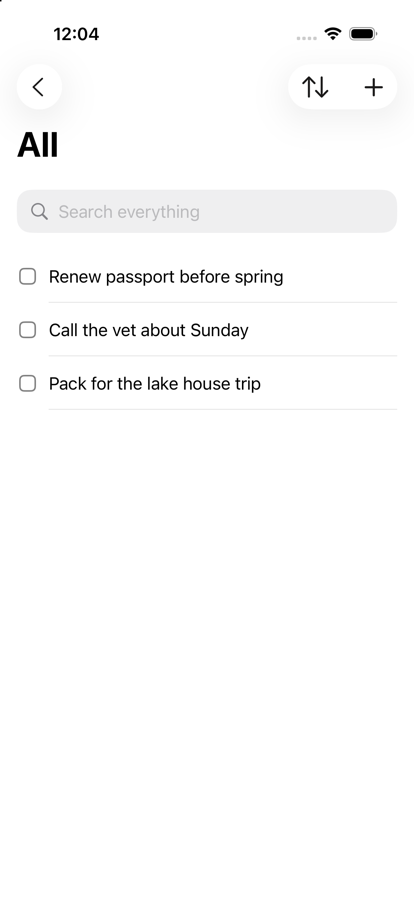

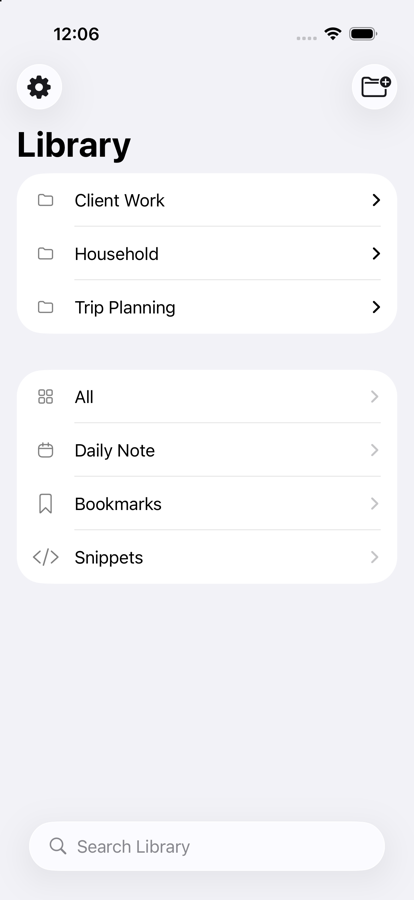
One app, three very different days.
Your day, kept straight
- Quick Capture for the thought you'd otherwise lose
- A Daily Note that becomes a running journal
- Gnat keeps the one thing that matters on screen
A shared, private home base
- Share a folder for groceries, chores, or a trip
- Everyone's iPhone, iPad, and Mac stay in sync
- It's your iCloud, not a company's database
Client work without the overhead
- A folder per client, templates for recurring work
- Custom fields for status, rate, or project stage
- Export your notes as plain Markdown, any time
Your data lives in your iCloud. Not ours.
Life Harbor has no servers of its own. It's built on Apple's Core Data and CloudKit, so everything you write is stored on your device and, if you choose to sync, in your own private iCloud account — the same place Apple keeps your Photos and Messages. We never see it.
There's no account to create, no analytics SDK phoning home, and nothing sold to anyone. Notes are stored as real Markdown, so your writing is never locked into a format only Life Harbor can read.
Read the full privacy policyLife Harbor is almost ready to launch.
Leave your email and we'll let you know the moment it's available on the App Store — nothing else, no spam.
Get notified at launch